Photo organizer · Preview 0.1

Every photo you own, on one light table.

Dalíca shows all the photos in the folders you already have, in one long scrolling view. Star, caption and tag them, find them again, and never lose an original. Native on Linux, Windows and macOS.

Download for LinuxAppImage · x86_64 · 0.1.0 View on GitHubMIT or Apache-2.0

Linux · Windows · macOS · no account · no telemetry

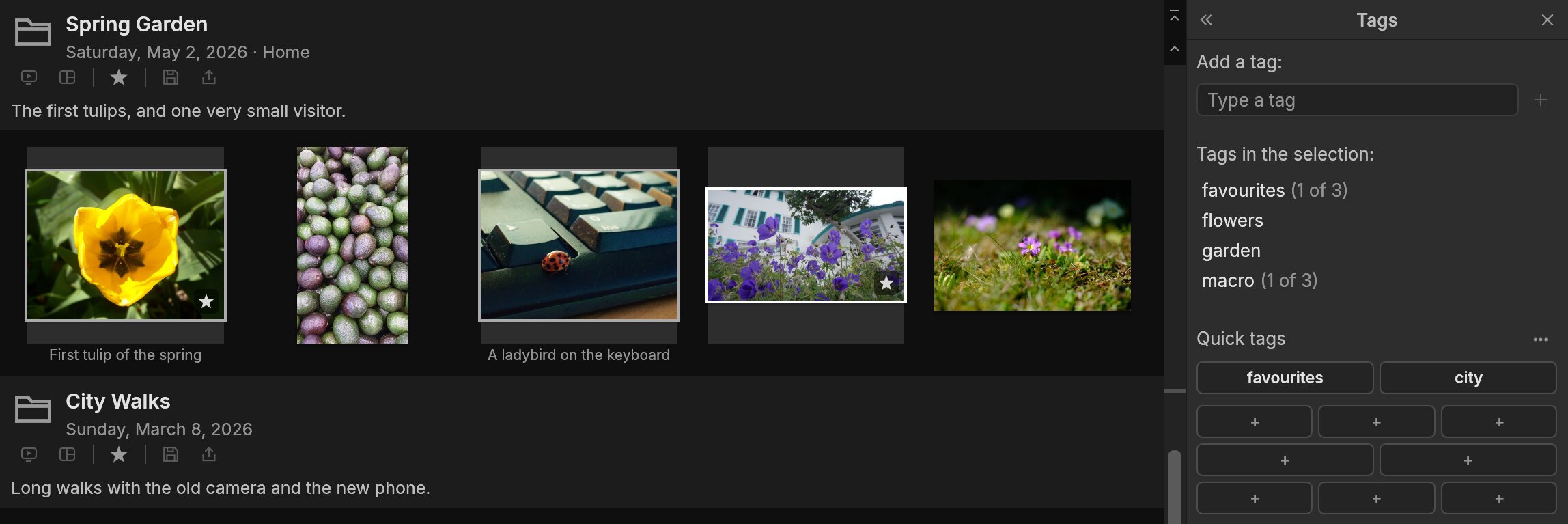
Dalíca's library with the Tags pane open: three garden photos selected, their tags listed with partial counts
The library and the Tags pane · three photos selectedCaptured in Dalíca
Measured, not promised

Fast where it counts.

From the project's own benchmarks
100,000

photos scroll smoothly

0.26 ms per frame (p95), budget 8 ms

0.5s

to the first screen of thumbnails

for a new folder of 10,000 JPEGs

1,800+

automated tests

run on Linux, Windows and macOS for every change

98

commands, all scriptable

from the window, the keyboard or the command line

What it does today

Light organizing for heavy collections.

Preview 0.1
no import step

Your folders are the library

Point Dalíca at the folders you already have. Nothing is copied into a catalog; renaming or moving in Dalíca does the same on disk.

100 000 photos · smooth

Fast at any size

Thumbnails appear as fast as your disk allows, and a library of a hundred thousand photos scrolls without a stutter.

XMP · IPTC

Stars, captions and tags that travel

What you add is written into the photo's own metadata, so other apps see it too. Other programs' fields are kept as they were.

.dalica-originals/

Originals stay untouched

Pixels change only when you press Save, and the original is kept beside it, ready to restore.

JPEG · HEIC · JXL · RAW

Reads what you have

JPEG, PNG, TIFF, WebP, GIF, BMP, JPEG XL, PSD, HEIC and the previews of 13 raw formats, colour-managed.

0 network calls

Private by default

No account, no telemetry, no cloud. Dalíca goes online only when you ask it to, and face data never leaves your machine.

No catalog

Your files stay yours.

What Dalíca writes to disk

Everything lives next to your photos.

Dalíca never copies your photos into a library of its own. What you add goes into one small, readable file per folder, and into the photos' own metadata.

  • Move a folder to another disk and its stars and tags go with it.
  • The index Dalíca keeps for speed is a cache. Delete it and Dalíca rebuilds it from your folders.
  • Originals are only ever moved aside when you Save an edit, never overwritten.
~/Pictures
Pictures/
└─ Highlands and Coast/a folder you already had
├─ minolta_z1.jpgyour photo; pixels untouched
├─ pixel3_o6.jpg
├─ .dalica.jsonstars, captions, tags as JSON
└─ .dalica-originals/appears only when you Save an edit
├─ minolta_z1.jpgthe original, byte for byte
└─ .dalica.jsonthe edit, so it can be undone
Standard metadata

Tags that travel.

XMP · IPTC
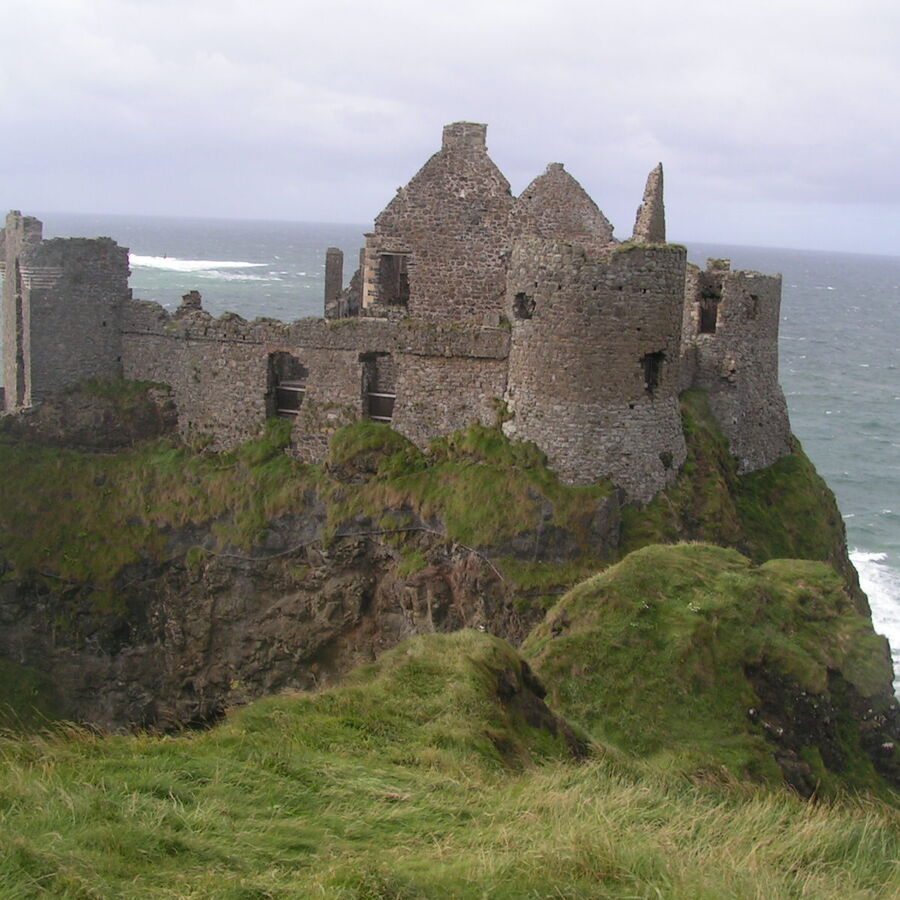
Castle ruins on a green cliff above the sea

Castle ruins on the cliffs

landscapecoasthistoryfavouritescastle
minolta_z1.jpg · XMP packet, as written
<rdf:Description xmlns:dc="http://purl.org/dc/elements/1.1/" …>
  <dc:description><rdf:Alt>
    <rdf:li xml:lang="x-default">Castle ruins on the cliffs</rdf:li>
  </rdf:Alt></dc:description>
  <dc:subject><rdf:Bag>
    <rdf:li>landscape</rdf:li>
    <rdf:li>coast</rdf:li>
    <rdf:li>history</rdf:li>
    <rdf:li>favourites</rdf:li>
    <rdf:li>castle</rdf:li>
  </rdf:Bag></dc:subject>
</rdf:Description>

Add a tag in Dalíca and it is written into the photo itself, as XMP dc:subject and IPTC keywords, so any photo app that reads standard metadata sees it. Fields written by other programs are kept exactly as they were.

Screenshots

Quiet chrome, loud photos.

Real captures · CC0 photos
Tags pane

Tag a whole afternoon at once

Select a run of photos and type. Partial counts show which tags only some of them have, and quick tags put your favourites one key away.

Close-up: three selected garden photos and the Tags pane showing favourites (1 of 3), flowers, garden and macro (1 of 3), with quick tag buttons below
Properties

Everything the camera wrote down

Camera, lens, exposure, dates and colour space for any photo, with the full metadata a click away.

Close-up: a photo of castle ruins selected, and the Properties pane listing its size, dates, camera, exposure, aperture, ISO and focal length
Tags under thumbnails

See your folders the way you filed them

Folders keep their own dates, places and descriptions. Show captions, tags, dates or file names under every thumbnail.

Close-up: the Old Churches folder header with its date and description, and the tag history shown under each thumbnail
For scripts and AI agents

Everything is a command.

dalica-cli

The window and the command line share one engine.

Every action in Dalíca is a named command (98 of them today). Clicking, pressing a key and running dalica-cli all go through the same code, so whatever you can do by hand, a script can do too.

  • commands lists every command and its parameters as JSON.
  • run executes them against a library and answers in JSON.
  • snapshot renders the real window to a PNG without a display.
  • An MCP server for AI agents arrives with version 0.2.
terminal
$ dalica-cli commands | jq length
98
$ dalica-cli run --demo --cmd photo.star.set \
    --params '{"ids": [3], "on": true}'
{"command":"photo.star.set","ok":true,
 "result":{"ids":[3],"on":true}}
$ dalica-cli snapshot --demo -o library.png --size 1400x900
Where we are

The road to 1.0.

The full roadmap →
  1. Foundations

    Done

  2. The window

    Done

  3. Library browsing

    Done

  4. Folders and formats

    Done

  5. Photo info and metadata

    Now · Release 0.1

  6. Editing and one-click fixes

    Next

  7. Save and export

    Planned

  8. Albums and search

    Planned

  9. Preferences and MCP

    Release 0.2

  10. Effects, people, places, video

    Toward 1.0

Download · version 0.1.0

Get Dalíca.

All releases and checksums →

Prefer to build it? Install Rust, then git clone https://github.com/pkkid/dalica && cargo run --release -p dalica. Dalíca also has a command-line tool, dalica-cli, for scripts and AI agents.

Found something broken?

Report a bug.

Bugs and ideas go on GitHub. Say what you did, what happened and which version you run. Please never attach personal photos.

Open an issuegithub.com/pkkid/dalica